
Overview
This article describes one process flow you can use to record credit card payments made to vendors as well as document payment of your credit card bills.
Required Setup
For this solution to work, there are key factors that must be in place. We'll be assuming an American Express (AMEX) card for this example. You can replicate the same set up for any other credit card company.
- Create (or verify that you already have) a Liability account set up for your credit card.
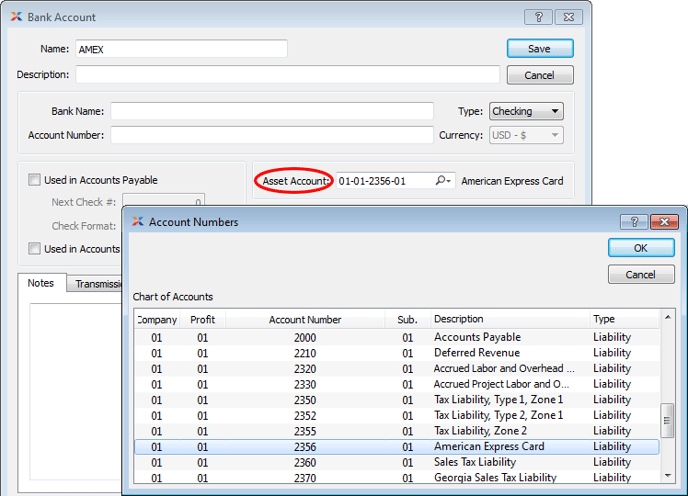
- Create a bank account called AMEX. The bank account screen typically requires you to enter an Asset Account. However, in this case we will enter the liability account linked to your AMEX card.
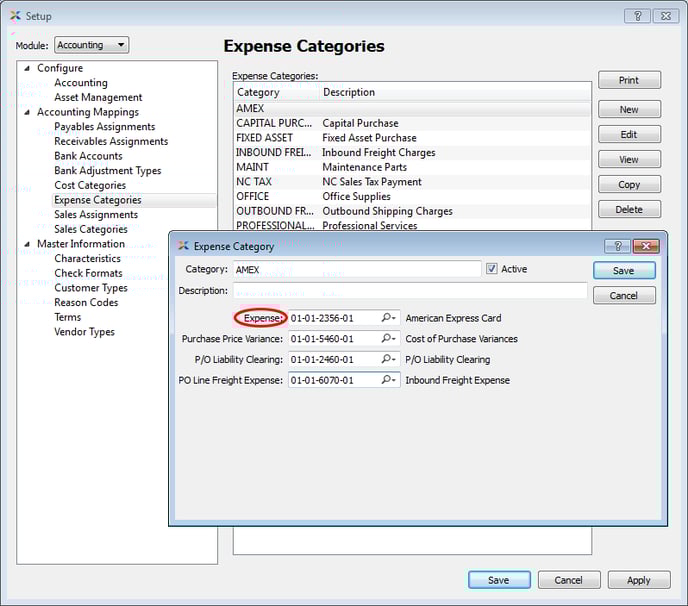
 Create an expense category called AMEX. Enter your AMEX liability account as the expense account for this AMEX expense category.
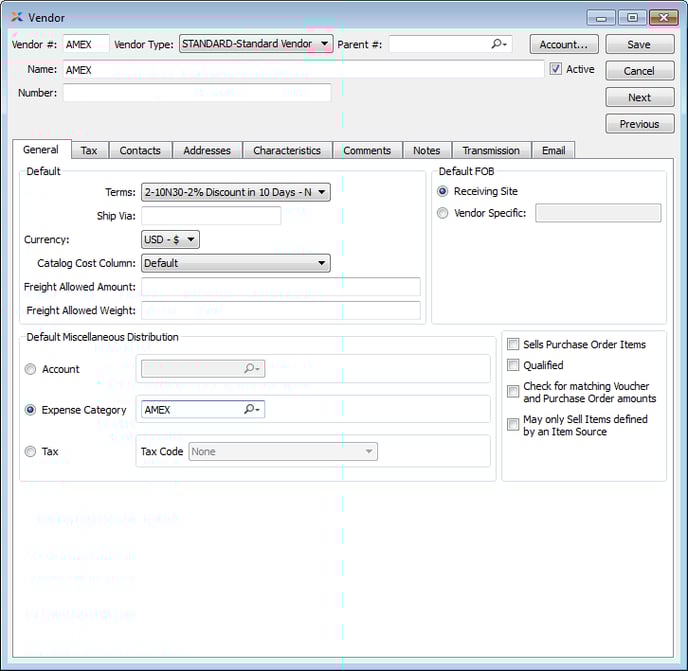
 Make AMEX one of your vendors in xTuple if they are not already established.
Optional CC Receipt Form
You could also create a unique credit card receipt form to use instead of a traditional check format. This receipt form would be linked to your AMEX bank account using the check format dropdown on the Bank Account screen.
Documenting PO Payments using a Credit Card
- Enter and post a voucher to the vendor to record the purchase you made.
- Select the voucher for payment and specify you are paying using the AMEX bank account.
- Print and post. If you elected to print a CC receipt, save this record for paying your credit card bill later.
Paying the Credit Card Company
To clear out your credit card liability and pay AMEX, follow these steps:
- Create a miscellaneous voucher to your credit card company.
- Enter Misc. Distribution line(s) against your Liability account for the total of your PO payments for the month. This can be done by PO or as a lump sum.
- Enter additional Misc. Distributions for all of your non-PO expenses (ex. fuel/food) using the established expense account for those transactions.
- The total amount to distribute should match your CC bill.
- Post the voucher and pay using the appropriate bank account.
This will clear your AMEX liability and the process flow is complete.